

|
Intelligent Inventory Management,
POS & CRM Systems |
||||||||||||
|
||||||||||||
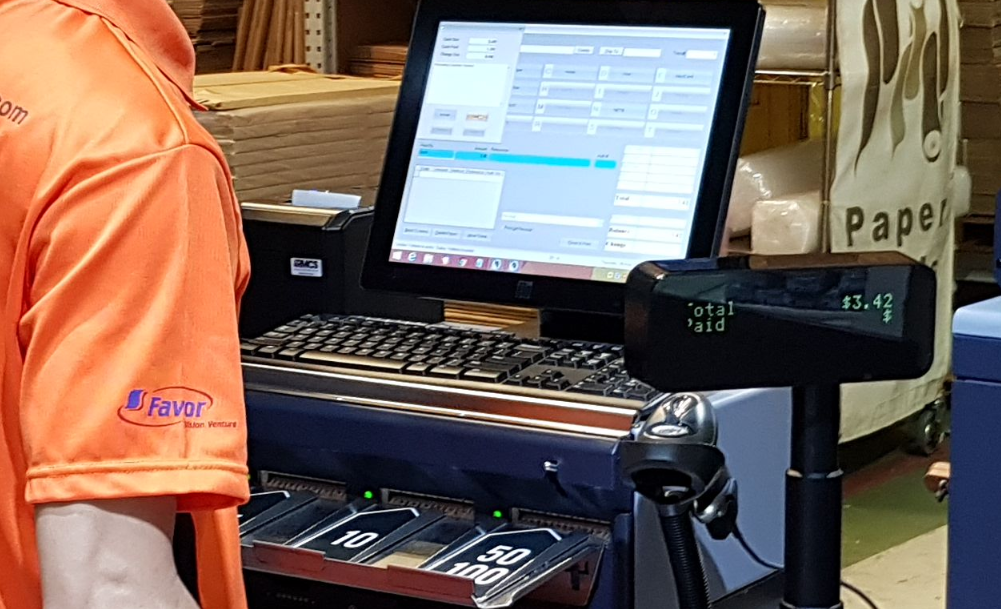
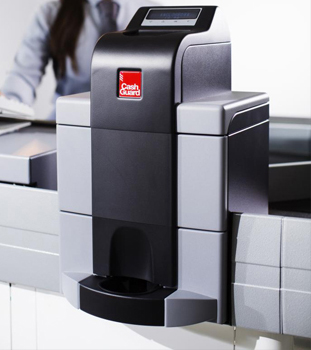
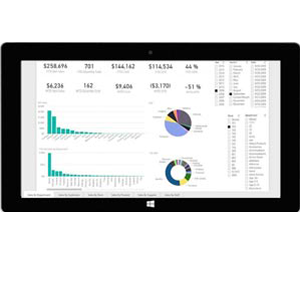
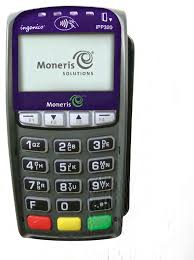
Aralco BlogAralco Inventory Stock Balancing2011-06-20 19:13This is a new optional module used for "Balancing" your inventory for all locations involving stores and warehouses. The Automatic Balancing system would calculate the required quantities for each location and search for stores and warehouses in the closest proximity of that store that has excess / available inventory and would recommend a transfer. Please click this link Aralco News to view more news available for the Aralco Point of Sale and Inventory Management System. Aralco User Definable Coin Counter2011-06-20 18:06We have developed a user definable coin counter for the Aralco Point of Sale system. This will be used for the start and end of day when your cash and float totals are counted. You have the ability to set different denominations for other types of currencies other than Canadian if required. Such as a $5 coin or $10,000 bill etc. Please click this link Aralco News to view more news available for the Aralco Point of Sale and Inventory Management System. Aralco & Authorize.Net2011-04-11 18:29Aralco & Authorize.Net are now payment processing partners for Aralco's clients in USA. Authorize.Net offers a very fast and easy to use web-based interface with Aralco for "Card Present" applications such as POS Terminals at physical locations as well as ecommerce shopping cart applications where payment processing is linked to customer purchases. Authorize.Net offers transparent merchant rates. Through this partnership, Aralco's clients can benefit from a fast, accurate and one-step payment processing at the POS, increasing overall efficiency, performance and cost savings. Please click this link Aralco News to view more news available for the Aralco Point of Sale and Inventory Management System. Aralco Rental Module2011-04-01 17:50We have improved our rental module for the Aralco Point of Sale System. These new improvements will give you the ability to create a product within Aralco that can be sold or rented. Products can be rented by the minute, hour, day, week, quarter or year. A product can be rented in multiple units of time for multiple quantities. To find out more about this module, please contact our sales department. email: sales@aralco.com or call 604.980.4199 ext 4 (Sales) Please click this link Aralco News to view more news available for the Aralco Point of Sale and Inventory Management System.Quickbooks 2011 - Interface2011-03-08 14:37The Aralco Point of Sale System now has the ability to interface with the general ledger accounts for Quickbooks 2011 Please click this link Aralco News to view more news available for the Aralco Point of Sale and Inventory Management System. Aralco Finger Print Scanner2010-12-07 12:37Support is now available for a new Digital Persona finger print scanner. This finger print scanner is used for signing in to the Aralco system, record login/out times for attendance and general security access to various parts of the program. To find out more about this module, please contact our sales department. email: sales@aralco.com or call 604.980.4199 ext 4 (Sales)Singapore Installation2010-10-14 12:28After a lot of effort working with our partner in Singapore, we are pleased to announce the installation of the first Aralco Business Solutions. There are always challenges in breaking ground when you first try to open a new market, however, through tenacity and sheer will power, we worked with our partner and managed to overcome all the obstacles. We are now set to pave the way for many installations in the Asian markets in the very near future. Please click this link Aralco News to view more news available for the Aralco Point of Sale and Inventory Management System. e-Commerce Joomla & Magento platforms2010-10-08 14:10We are excited to announce that not only have we developed our Aralco Point of Sale and Back office software to work with the Joomla platform for e-commerce but within the next couple weeks we will be able to provide a solution for e-commerce based on the stylish new Magento platform. To find out more about this module, please contact our sales department. email: sales@aralco.com or call 604.980.4199 ext 4 (Sales) Please click this link Aralco News to view more news available for the Aralco Point of Sale and Inventory Management System.User definable out of province / state tax now available2010-09-21 12:18Aralco has completed the development of a new user definable tax. This out of Province/State tax will be used for cases where POS sales are made for shipments to out of Province/State and the correct destination taxes need to be charged and reported in the back office for tax remittance purposes. For further information please contact email: info@aralco.com Order Management System going live2010-09-15 12:56We have successfully installed and are in the final stages of testing the Order Management System for one of our clients. They will be going live in all stores next week. This system will help the client streamline the process and management of orders from store level to the warehouse and finally to the customer. The product will be available as an additional feature to all Aralco clients. For inquiries, please email email: info@aralco.com or call 604.980.4199 ext 4 (Sales)Aralco's upcoming e-Commerce site for POS Peripherals2010-09-09 17:17We are in process in creating a e-Commerce site for our clients to purchase POS peripherals, paper products and accessory items. The example of items that will be available to purchase on this site are barcode scanners, barcode printers & labels, receipt printers & paper, cash drawers, pole displays and Cipher-lab wireless inventory scanners. We will notify all our clients once this site becomes available. If you require additonal POS peripherals please contact our sales department. email: sales@aralco.com or call 604.980.4199 ext 4 (Sales)Aralco Point of Sale User Definable Taxes2010-08-20 17:29Aralco is developing a new user definable tax. This tax will be used for cases where POS sales are made for shipments to out of Province/State and the correct destination taxes need to be charged and reported in the back office for tax remittance purposes. This feature will be useful for wholesale, catalogue, and ecommerce businesses. For further information please contact email: info@aralco.com Aralco's Built-in ecommerce/ shopping cart solution2010-08-10 15:11Although Aralco offers an interface utility for Aralco and client's existing shopping cart / ecommerce systems, the demand for an inexpensive, robust & "built-in" ecommerce program was overwhelming so we have developed and are now offering a completely integrated system that includes an ecommerce program which directly interfaces with the Aralco Back Office, automatically imports web designated products and automatically exports web orders to Aralco POS Order Entry system. Retailers can now review their web orders from an automatically generated report and use the Aralco POS to ship the orders to customers anywhere in the world. To find out more about this module, please contact our sales department. email: sales@aralco.com or call 604.980.4199 ext 4 (Sales) Please click this link Aralco News to view more news available for the Aralco Point of Sale and Inventory Management System.Aralco Order Management System (OMS) Launch2010-08-10 15:04We will be launching our new OMS system on Aug. 11th 2010. This system has been in development for over two years and will be tested at a furniture retail client with multiple locations in British Columbia and Alberta. Once the initial tests for two locations are completed successfully, the system will be turned on for all locations and the product will be available as an additional feature to all Aralco clients. For inquiries, please email email: info@aralco.com or call 604.980.4199 ext 4 (Sales)Accounting programs that interface with Aralco POS2010-07-29 15:43Aralco POS and Inventory management system will interface with many different types of accounting programs such as Quick books, ACCPAC, Simply Accounting and more. It can accommodates your existing or preferred accounting system and will eliminate the need for double entries If you wish to inquire about the Aralco POS software and learn how these accounting programs will interface with Aralco POS please contact our sales department. email: sales@aralco.com Please click this link Aralco BOS features to view more features available for the Aralco Point of Sale and Inventory Management SystemWindows XP operating system downgrade option available until 20202010-07-14 14:54If your company's hardware and operating system requires an upgrade and you still would like to use Windows XP operating system it will be available as a downgrade option from Microsoft until 2020. Aralco POS supports Windows 7 Pro 32 bit operating system2010-07-14 14:38Aralco POS now supports the new Windows 7 Pro 32 bit operating system. Only Windows 7 Professional will be supported by Aralco in a network environment NOT Windows 7 Home Editions. If your company needs to upgrade to a Windows 7 operating system please contact Aralco Support to perform the Aralco software installations. Please click this link Aralco News to view more news available for the Aralco Point of Sale and Inventory Management System Order Management & Distribution System2010-07-09 13:44 When orders are entered at the stores into the POS systems, the new Order Management System (OMS) can enable both the Warehouse Staff as well as the Store Staff to view the status of outstanding orders and access them to perform various functions. OMS Accessibility: New Report Generator Engine2010-07-05 17:51We have been busy over the past year working on a new "Report Generator Engine" using the .Net technology. This will be a separate module that would continue working in "parallel" with the existing system. It is a very useful tool to use when the older product has reached its limits and our customers can continue using the old system while building some of the more challenging report using the new system. This system will have advanced graphics, interface to Excel, Microsoft Reporting Services and the reports will also be available and be posted live through the web access. All Point of Sale transactions can be viewed and analyzed live through this system so you can access it from any location by logging to your website and pulling up the latest (and preset) reports. We are in final stages of the development of this new module and are hoping to start shipping around September 2010 Aralco President Canadian Harmonized Sales Tax2010-07-05 17:49Our Canadian clients are aware of the changes that recently took place in British Columbia and Ontario due to the implementation of the Harmonized Sales Tax. Although it seemed straight forward for most retailers, the complexities surfaced for certain type of retail applications such as children clothing, custom orders where the customer had placed their order PRIOR to the new tax activation and took delivery of the order AFTER the tax changes took place. Most of the issues would naturally appear at (POS) Point of Sale locations and regardless of the challenges we had as software engineers ( as did our clients), we have managed to deal with all the details and idiosyncrasies of the aftermath and are now looking forward to "business as usual" . Over the next few weeks, we will continue to work with our clients to address any discrepancies resulted from these changes resulting from the sales tax modifications. Aralco President Guide to buying POS software2010-07-02 19:05 Today, there are many stores that have established their businesses in different parts of the country. The system they follow is, each and every customer are free to pick whatever they are interested in and at the end they have to get their goods checked, priced and packed. The system of checking, pricing and packing at the end of purchase is called POS (Point Of Sale). Point Of Sale has been adopted in stores recently to bill the goods. This system comprises of many gadgets to facilitate the point of sale program. Gadgets like a bar code reader, POS software, and a POS machine. It is advisable that a business which incurs large transactions should make use of a POS system to help with the function of billing and tracking of their goods. Before purchasing a POS system, one has to go through the "Guide to buying POS software". It is tough to shift from the cash register to electronic cash register i.e. a POS system. Anyone who wants to buy a POS system should ask the the following questions. . Does the POS software have a user definable screen? Aralco for the "Hospitality" Industry2010-04-20 18:07Our Aralco POS software is now developed to work in the restaurant and hospitality industry. This industry is a first for Aralco. This new development has been implemented in our first restaurant Casual Gourmet Bistro in North Vancouver and has surpassed our expectations and continues to be enhanced with each additional feature. Our product supports this industry by providing the following features: . Touch screens for Quick Order Entry . User definable menu buttons . Unlimited main & sub-category menu setup . Employee swipe card or RFID login . Instant Bar & Kitchens Order Printing . Recipes & Food Cost Tracking . Inventory Control for Bar & Kitchen . Table assignments . Fine dining Operating Environment . Take-out feature . Gift cards sales and usage tracking built-in . Customer sales tracking . Loyalty programs . Instant Tip calculation by shift and Tip distribution Reports Anti-Virus Software2009-04-14 13:45The use of anti-virus software has become necessary over the past few years and when you are running a large network over the internet, it becomes compulsory rather than optional. Although it is extremely important to have this in place, you need to make sure that your anti-virus software is compatible with the Aralco POS and Inventory Control Software so that it does not conflict and hinder its SQL database operation. Also, it is important to know how to setup the anti-virus software as if not correctly optimized for your retail application, it can significantly affect the performance of your system and slow down or completely halt the SQL database operation when trying to access the database, run reports or simply record and save data. For further information, please contact the Aralco Support Department at support@aralco.com Webinars2009-03-11 14:11In my recent visits with some of our clients, I was asked about certain features and their availability as well as mention of certain requirements to run reports at preset times or having them emailed etc. I was very happy to inform our clients that all those features plus a lot more useful business tools had recently been completed and included in our recent version 8.400. They were all pleased to hear the good news but asked how come they don't know about those great new products?? Well here is when I got disappointed. We have been using our "Mass email" system to let everyone know about all of the recent developments at Aralco and invited them to view the list of new features on our websites as well as notifying them of the upcoming "Product Webinars". We have even emailed them after the webinars to let them know where to go to watch the "Recorded" webinars in case they missed the live sessions. It's surprising to find out how many people actually read their emails and the information they receive from us. I guess a lot of us, including myself, are guilty of pressing "Delete" on some of these emails. With the "bombardment" of masses of emails we all receive every day, you can "go out of business" trying to keep up with other people's business! But then I thought, Aralco is not just emailing their clients to "promote" the sale of any new features. We are mostly letting them know how to make use of "What they have already paid for" and it's a great disservice to their business if they don't take advantage of this free service. After all, a business such as Aralco, is running some "mission critical" processes in the clients businesses and the more aware they all are about its strengths and capabilities, the more efficiently they can run their businesses while reducing their operating costs. In conclusion, I would like to plead with any of you who have thoughts about improving the system, its existing processes and methods, to watch the webinars, view the "New Feature List" or call us to share their ideas or their individual needs. The questions I have asked people recently to get the answers I want is "tell us what keeps you up at night" and we WILL address those right away! Aralco President How do you run a profitable Inventory System?2009-03-06 19:54Over the years we have witness retailers work diligently to figure out what to buy, when, how many, from who and for which store. It's quite a task for any buyer. Some businesses involve many staff to run various reports, analyze what was sold, where, by which store them see the current on hands and put the two figures together and come up with a calculated guess as to what to do next. This of course is what companies do who have resources dedicated to this task. I dread to think what the others with limited time and staff do. Years ago, we worked with a very knowledgeable buyer who had worked most of his professional life in a large and well known North American based department store. He had semi-retired and started to helped his wife run a six store retail chain. He wanted to apply the decades of experience he had gathered and work with Aralco to develop a very easy to use and yet sophisticated and extremely powerful "Inventory Replenishment System". We worked through all his complex formulas and methodologies and eventually we came up with the first draft back in 1996. Since that date we have installed the system in a handful of places who frankly have told me "they cannot run their business without it"! Of course it's not our mandate to "push" technology on to our clients and unfortunately whenever we did try, the retailers invariably told me different reasons why they wouldn't want to use such as tool, some would say "I don't want the computer to write cheques out to my suppliers" or "How do I know if the computer is accurate"? Eventually we perfected this tool to a point where it actually let you see the exact reasons why it would suggest the order quantities so it ensured the user that it is working accurately. We also placed many "User Definable Controls" to "Tweak" the system to their individual needs. The system would prepare Purchase Order ONLY when the retailer with approve of its recommendations and give it the "go ahead". In November 2009, we finally convinced a client of 11 year who has a complex, "Matrix" product line with up to 4 inventory dimensions to give the system a try. After a very short time, their full-time buyer managed to do purchase orders (automatically generated) and what used to take 35 hours per week ended up taking 2 hours. The management was astonished to see this new revelation. "The cost saving, speed and accuracy was simply amazing"! In recent talks with some clients, it became apparent that through the use of some of these effective tools, Aralco can certainly provide much more than the "basic necessities" of a POS System. In this example, it can help you "Optimize" your inventory levels and increase your "bottom line". A similar system is available for retail chains where the system would help with "Stock Balancing" across your stores to make sure each have got the right number of units on hand to meet their forecasted/ targeted sales. Scheduled Reports2009-03-05 18:43A great new feature now available in Aralco Back Office system is the option to apply a "Scheduler" to any report available in Aralco. This will let you setup the time to run the report when you like (set your own Day of the Week, Time to run) and have it emailed to one or more recipients. Once this is set up, the system will automatically load the report and run it at the preset day & time and forward the HTML report to your email address. This is a great time saver as well very useful when you need to run a certain report at a certain time (e.g. Month/ Year End), especially if that date happens to fall on a weekend/ holiday. I heard prior to this feature, customers used to pay overtime to have their staff come in after hours to run reports and have them ready for management for first thing in the morning! Weathering the Storm: POS and Inventory Management System Tips2008-10-03 19:43Retailers can plow through uncertain economic times by effectively using their POS and Inventory Management Systems. Getting the most out of your retail system will save you time, increase your profits letting you rise above your competition. Sales reports identify your best and worst selling items. Especially in times like these you need to focus on your strengths and let go of your weaknesses. Once you identify your best selling items, work diligently at promoting these items and becoming the go-to place to find these items. You'll find that an intelligent stock replenishment system can be adjusted to the current economic climate. You want to cater to your best customers and there are several ways you can use your customer relationship management system to entice them into the store. This is the time to make the best use of your electronic traffic counter to monitor your store traffic. With this device you can identify your high traffic areas and times and staff accordingly, saving you money on staffing while improving customer service. Outside of the store you need to take care of your online presence. Shoppers browse online to save time and money. Customers also save on the cost of fuel spent driving from store to store, while retailers benefit from higher sales with less staff. Your ecommerce store is open 24 hours a day, seven days a week at comparatively little cost. You can greatly benefit by taking advantage of these simple tips. Economic storms always pass, and when this one does you'll be miles above your competition. Take Charge of Loss Prevention using a Customizable POS System2008-09-09 19:30There are several ways you can maximize your return on investment on a POS system by simply following loss prevention techniques and strategies. Reducing inventory shrinkage can dramatically increase a store's profit. A customizable inventory management and reporting system can identify high risk transactions, missing inventory and training problems which can be associated with inventory shrinkage. For example high risk transactions can differ depending on the type of operation. A $200 transaction could be labeled high risk at a discount store but be common practice at a furniture store. Other high risk transactions could include over-rides and large discounts and exceptions. With this information on hand managers can identify problem situations. Customizable reports can list all transactions from select cashiers to identify problems with training. An easy way to prevent theft is to print barcoded receipts. Printing barcodes on receipts is an extremely effective way of boosting loss prevention on returns. Barcodes are extremely difficult to forge. If you print barcodes on receipts, each receipt will bear a unique identifier which links it to a specific transaction. When customers return an item and present the barcoded receipts, sales clerks simply scan the receipt barcode to bring up the transaction. All details of the transaction are brought up on the point of sale system. Staff can use this information to ensure that the correct amount is refunded; the method of payment is pre-selected. Barcoded receipts also prevent duplicate returns because once an item is returned it is removed from the list of returnable items. To learn more about loss prevention check out the Retail Loss Prevention Conference on September 18 in Toronto hosted by The Retail Council of Canada. Integrate your Ecommerce site to your Inventory Management System2008-08-18 13:20Fully integrating your ecommerce website to your inventory management system will save you a great deal of time and frustration and keep your customers happy. With full integration, customer orders are automatically sent to the inventory management system and ready to be processed. Customers are happy to see their orders filled and shipped quickly. Staff can also be assured that inventory levels are always accurate. Real time communication between the ecommerce site and the inventory management system ensures customers always view the latest inventory levels, product pictures, descriptions and retail prices. Launching an ecommerce website is like opening another store that is accessible to anyone in the world 24 hours a day, seven days a week. Opening such a store costs a fraction of what it costs to open a brick and motor store. You'll experience greater sales and increased revenue, with little overhead. Fewer employees are involved in fulfilling an internet sale, making them less costly and more efficient. And widening your target market means you'll attract more customers to your brick and motor store. An ecommerce store can also fuel traffic to your brick and motor stores. Customers often shop around online for the best prices before stepping into a store. Ecommerce websites are also powerful customer relationship management tools. Through the website customers are obliged to provide personal information such as address, email and phone numbers. You can send them company newsletters and other marketing material. Doing business online has become more affordable and is extremely secure. Aralco offers a turnkey solution with a fully integrated website that utilizes the most secure online payment protocols. New Aralco Guest Blogger2008-07-24 17:47Aralco POS Blog introduces our new guest blogger Don Fornes, the founder of Software Advice. His company helps businesses find the right software solution to fit their needs. Prior to founding Software Advice, Don worked as a software company executive in Silicon Valley and as an equity research analyst on Wall Street. Don earned a degree in economics from Princeton University. To keep up to date with our latest blog posts please subscribe to this blog by entering your email address in the subscribe box on the right hand side of this page. You can also subscribe to the feed by clicking on the RSS FEED button, found below the subscribe box. In a Down Economy, Get to Know Your Customers2008-07-24 13:26By POS Software expert Don Fornes Retailers have started to suffer as consumers tighten their purse strings in this rough economy. While some businesses will fail, those that survive can exit the downturn a much stronger business. One of the key things to focus on during an economic downturn is getting to know your customers better. Through effective customer relationship management (CRM), you can not only maximize your near-term sales, but also build loyalty in the long-run. With those goals in mind, here are my five steps to best practices CRM using a POS system like Aralco. 1. Plan your marketing strategies. Before you even start using new CRM features or collecting data, plan what types of marketing will work best for you. Do you want to cross-sell at the point of sale? Reward loyal customers with discounts? Promote your sales events? Plan what you will do with the software or data before you begin. 2. Build customer profiles. Once your marketing strategy is planned, now you need to put in place the software and processes needed to collect and manage the right customer data. POS systems can manage a wide range of valuable customer data like contact info, purchase histories and preferences. Determine which data is critical to your CRM strategy and start ensuring that your employees capture that data in the system (membership cards can make data capture easier). 3. Train your team. With more and more data in your customer profiles, you will be able to personalize your interactions when customers return to your store. However, you will need to train your employees to review the customer data during the point of sale and use that information to sell more and improve the customer experience. Working on the team's script, what they actually say to customers, will be critical. 4. Interact beyond your four walls. CRM is not just for managing interactions when the customer visits the store. It can me most effective if used to bring the customer back into the store or guide them to your e-commerce website. Develop an email marketing campaign strategy that personalizes each customer's email or newsletter with special offers and mentions of past purchases. 5. Analyze the results and adapt. Implement a detailed and repeatable process for analyzing your CRM efforts. As you conclude each campaign, measure how effective it was in generating sales. This requiring learning to use the right reporting tools and determine how you will track the campaign to match sales to campaigns. Of course, these five steps merit far more that one blog post. However, the most critical step is to start thinking about your CRM strategy. Chances are that your POS system has capabilities you've not even begun to explore. This latest post comes from Don Fornes, one of the POS Software experts at Software Advice. Aralco POS Feature of the Week: HTML newsletters2008-07-04 17:23Are you looking for ways to stay connected with your client base? HTML newsletters are an excellent way to entice your clients to visit your stores. You can begin by gathering email addresses of frequent shoppers and entering them in customer files at the POS. Place a link on your website so that customers can sign up for newsletters. Another way to entice customers to share their email address is to offer a draw prize. HTML newsletters, if done effectively, can build customer relationships. You can use them as a tool for sending news about your company, product tips, decorating ideas, technical tips for electronic equipment, recipes etc. The point is to get them interested; give them reason to keep reading. Your customers will find value in your newsletter and consider you an authority on the subject. Of course, sending coupons and advertising promotions is the number one reason why retailers turn to HTML newsletters. Customers follow the links from your newsletter to your website to check out the products available online. Spend time designing your newsletter. Make it attractive, sleek, and professional. It represents your company so make sure it says what you want to say and speaks your language. HTML newsletters can act like flyers, advertising the latest promotions and seasonal sales, but they can also be personalized. Using Aralco you can send HTML newsletters and personalize them to each individual customer. It's as simple as running a customer report with the name, email address and any additional information you need. Don't send newsletters too often, you don't want them to end up in your customers' junk mail folder, but do send them on a regular basis; if you do it right customers will look forward to your messages. Aralco POS Feature of the Week: Handheld Scanners and Gift Registries2008-05-30 15:21Gift Registries are an excellent way to expand a client base. Gift registries, once reserved for weddings, are now used for several occasions. People are selecting gift registries for anniversaries, baby showers, graduations, birthdays and housewarmings. Businesses of all sizes are using handheld scanners and POS systems to set up and deliver gift registries. With more and more people asking for registries to answer gift giving dilemmas, it makes sense for retailers to offer this service. Stores are nearly guaranteed to receive repeat business from both the event hosts and guests. Gift registries introduce a variety of clients to your store. People who would not normally shop at your store may find themselves browsing merchandise and making unexpected purchases. On their way to picking up a gift registry item they may purchase another gift for someone else or something for themselves. Retailers receive an added bonus if the gift giver spreads the word about the registry and decides to use a gift registry for an event in the future. For gift recipients, selecting items for their registry can be a thoughtful process. They may spend much time shopping around before selecting which items to place on their registry. After the event, gift recipients may choose to complete their registry on their own, purchasing the items they most desired. Handheld scanners simplify the gift registry process. Gift recipients can walk around a store with the wireless scanner and scan the desired gift items. When they are done, a sales associate can download the item list to a POS terminal. In Aralco, gift registries are saved under the customer file, which is accessible from any POS terminal at any location. You can also use handheld scanners in everyday sales. You can scan large items such as furniture which are displayed on the showroom floor. The scanned items are then imported to a POS terminal. To learn more about Aralco's gift registry feature, take a look at the demo video. The Fabric Configurator Delivers Options and Saves Time2008-05-15 15:32If a sofa is available in different colours, and fabric grades, this product only needs one product number. Set up each model in the Back Office only once and simply assign different values. This saves you a lot of time. All you have to do is use the fabric configurator to set up various dimensions. For example, you can setup different fabric colours, grades, leathers. You can also setup various leg options. A sofa could have titanium or chrome legs or a dresser could be available in oak, cherry or pine. Certain options will have price or cost jumps, which you can assign and change as needed. In the product setup you select the applicable options. As new options become available you can assign new values or take away options that are discontinued. At the POS, as you enter the product number the grid selection window pops up showing you the options available. When you select the desired options, the price, including the price jump, is automatically calculated. You can quickly provide different price quotes for customers considering more than one option. Using another Aralco feature, when you complete a customer order you can automatically send a purchase order to the back office staff for them to review and send the order to the supplier. In the Back Office you can run reports to review the chosen options. Over a long-range you can determine the most popular options and review customer trends. To view how to setup and use the fabric configurator, please take a look at our furniture POS specific demo videos. Sales Reports offer insight into your company's operations2008-05-02 17:44Sales reports you generate with Aralco help you understand sales trends, identify best-selling items and recognize hard working sales staff. Sales reports are an essential tool to Retail Inventory Management software. You gain a better understanding of sales. For example you can quickly find out what are the best and worst selling items, departments and stores. You can determine which members of your sales team bring in the most sales. You can also quickly assess which departments are the most active, which stores attract more customers and view the total gross profits for all locations. The flexibility available in Aralco sales reports is enormous. Reports can be customized to any industry. Creating sales reports is easy to do, using the report wizard. You can also quickly enter formulas to calculate elements such as gross profit dollars or gross profit percentage. Once you have set up a favorite series of reports for your company, you can run the reports on an automated schedule. Reports can be highly detailed, allowing you to view receipts for each transaction, or you can view summary reports, offering a global view of sales transactions. Reports can be exported to Excel, saved in HTML format and emailed. Sales trends are clearly illustrated in two-dimensional and three-dimensional bar graphs, line charts, pie charts and step charts. The Aralco reporting tool is also equipped with security features that let you control report viewing access. Aralco reports are dynamic. In a detailed report you can click on a product name and view the inventory for this item in all stores in real-time. For each transaction you can view a copy of the receipt. Click on a customer name to view their up-to-date purchase history. Sales reports help you make important business decisions in terms of inventory, staffing, purchasing and understanding your client needs. Sales reports are an integral part of the Aralco Back Office System. POS feature of the week: Custom Receipt Messages and Printer Options2008-04-24 14:34With the Aralco POS you can communicate company policies to your customers by printing custom receipt messages. Different messages would appear at the bottom of the receipt depending on what options were selected during the course of a transaction. You can modify receipt messages at any time from the receipt printer setup in the POS. The printer setup is designed so you can quickly modify all of your messages. You can write custom receipt messages for different transaction types, such as: layaways, orders, sales, quotes etc. You can also have custom receipt messages for different transaction options, such as: returns, tax cancellations, discounts etc. Finally, you can have custom receipt messages for various methods of payment, such as: cash, cheque, credit card, debit, etc. For example, if a transaction involves a Layaway, the receipt printer will automatically print a specific message that applies to the transaction type. This message could be "A minimum deposit of 50% is required on all layaway items." Given the following scenario, the transaction type is a sale, a discount was applied and the method of payment selected is a cheque, then all three messages will be printed on the receipt. The Aralco POS also has several printing options. At the end of a transaction you can choose to print an invoice, a receipt or other pre-determined formats. You can choose the number of copies to be printed and also choose to print from any printer connected to the system. Emailing the document is another option. When you select this option the customer look-up screen appears right away so you can search and select the customer. Once selected the customer's email address will be entered automatically. Once the document is printed you have the option of printing another receipt or invoice. The custom receipt message feature is available in Aralco Version 400. POS feature of the week: Display product and member photographs in the POS transaction screen2008-04-14 12:08When customers request products you don't have in stock you can show them a picture of the item before ordering the product from another store. In Aralco you can display product and customer or member photographs in the POS transaction screen. Product pictures are uploaded when you set up products in the Back Office System. Member or customer photographs are attached to their profiles. When you turn on this option you can display product pictures and member photographs from any POS. For example, imagine your store sells a popular line of handbags. A customer would like to purchase a handbag but would prefer the item in beige, but that color is sold out. She is hesitant about ordering the handbag, and would like to know what shade of beige it is. While inquiring about the availability of the beige handbag at other stores a picture of the beige handbag appears on your POS transaction screen. This gives the customer a chance to confirm that the bag in stock at the other store is exactly what she is looking for. Customer or member photographs can also be displayed in the POS transaction screen. A health & fitness club may decide to use this to verify the identity of their members when they swipe membership cards to access facilities. This is one of several new features available in Aralco Version 400. Please take a look at our demo videos to view how to activate this option. POS Feature of the Week: Automatically Create POs from Customer Orders Entered at the POS2008-04-02 16:46A new time saving feature in Aralco automatically converts customer orders into purchase orders. This is a new feature Aralco users can turn on and off. When activated, the system will prompt the POS operator to create a purchase order once the customer order is completed. If the operator selects yes, they then can decide to send the PO to the head office right away or send it at the end of day. Once the purchase order is sent to the head office, staff at the head office can review the PO. After reviewing the order, the purchase order can be sent to the supplier via email, fax or mail. POS staff can track when purchase orders have been reviewed and when goods are received. This feature saves time since staff no longer need to enter the same information twice. Reducing the number of steps involved in creating a purchase order increases accuracy. This feature is ideal for furniture showrooms where customers would not typically purchase showroom items, but order the piece to be shipped from the supplier. For videos demonstrating many other furniture POS features please take a look at our demo videos. POS Feature of the Week: Returns using Barcoded Receipts2008-03-28 16:59Printing barcodes on receipts is an excellent way to ensure accurate returns are made. Using barcoded receipts in returns improves security, because it makes it very difficult for thieves to forge receipts. It ensures the correct amount is refunded and eliminates duplicate returns. You can set up your POS software to print a barcode at the bottom of receipts and invoices. When a customer presents the receipt upon returning an item, you simply scan it to bring up the transaction. Select the items which are being returned and proceed to the payment screen. You'll notice that the amount and the method of payment are automatically entered. The amount will correspond to the sale amount not the current value of the item in stock. The taxes will be refunded according to the tax rate when the item was purchased. Once the return is completed, the item is removed from the list of returnable items, preventing anyone from returning the item again. This feature is available on Aralco Version 400. POS Feature of the Week: Franchise option2008-03-19 17:33If you are thinking of expanding your business to include franchises, the Aralco Retail Inventory Management system is equipped at dealing with multiple inventory zones. You can set up inventory zones for independent franchises so that staff assigned to an inventory zone will only be able to access information associated with their zone. Staff assigned to an inventory zone won't be able to view the sales, reports, customers, or purchase orders etc. from another zone. This feature is particularly useful if your company distributes goods to independent franchises and you want to use the same database to manage inventory from all in zones. You can allow corporate employees to view inventory in all zones. You can also have stores that are not part of an inventory zone. In that case, employees from all zones will have access to information about stores without zones, as well as the stores in their own inventory zones. Set up inventory zones and manage employee groups in the Back Office System. Feature of the Week: Moneris Payment Processing System2008-03-14 12:21The Aralco POS software is equipped with a fully integrated high speed method of processing credit card and debit payments. With the Moneris Payment Processing system, point of sale transactions are instantly communicated to the pin pad. There's no need to re-enter the transaction amount. You save paper, as it becomes the only printer you need. There's no need to staple two receipts together, and having only one printer also reduces clutter, leaving you more room to present your products. The Moneris Payment Processing system is a single point of contact for VISA, MasterCard, American Express, INTERAC Direct Payment processing from in-store to mobile wireless and e-commerce. The Moneris Payment Processing system is offered at a low cost to Aralco users. For more information on this and many more feature please call Aralco at 1-877-ARALCO1 (272-5261). Feature of the Week: Electronic Traffic Counter2008-03-05 17:02Every week in this Retail Inventory Management and POS blog we will present an Aralco feature and describe how it can help you in your business activities. An electronic traffic counter can help you determine your busiest times and which departments receive the greatest traffic. With this knowledge you can staff accordingly, saving you precious resources. The way it works: You can place the traffic counter at the store entrance to tally the number of store visits. You can also move it around the store to capture a detailed view of your retail traffic. Once you have collected a significant amount of data you can compare it to your store and department sales. The results of the report will pin point your store's slow and busy times of the day and days of the week. With this sophisticated report you'll gain insight into your store operation. Automatic Stock Replenishment System2008-02-15 18:17The auto-purchase order feature alerts you when items in stock dip below their set thresholds. This occurs when the intelligent stock replenishment system reviews past sales history, set min/max inventory levels for each product and location, supplier lead times, sales factors, etc. The system can also be programmed to adjust for seasonal and economic changes. When managers receive these alerts they can review the automated purchase orders and override items if necessary. The auto-transfer feature uses these reports to drive transfers of products from over-stocked stores to under-inventoried locations. When the goods are received, you can use the auto-distribution feature to print recommended distribution lists. The automatic stock replenishment system ensures efficient use of inventory, reduces need for markdowns and prevents over ordering. This system is ideal for businesses that order repeat items. For more information about the Auto-Replenishment System and to add this feature to your system please contact Aralco at info@aralco.com or 1-877-ARALCO1. User Designable Data Capture and Reporting System2008-02-15 18:11The user designable data capture feature lets you customize product, customer and special transaction screens. With customized screens you get more powerful reports tailored to your unique operation. In the product screen you can add fields to help you describe your products. For example, if you sell carpets, you can add fields such as, width, length, area, origin, pattern, colours, quality, fabric and designer. Using a new Aralco feature, you can search for products in the POS using any of these user-definable product categories. If a customer walks in looking for a carpet from a specific designer you can quickly look up carpets in your inventory to match their request. If you would like to gain more knowledge about your customers, you can add fields to the customer screens. For example, if you operate a paint and decorating store you could keep a history of the paint tints your customers purchased. If they return to buy more paint in the same tint, the information you need is at your fingertips. You can also use customer preferences to target customers in future ad campaigns. Keep checking the Aralco News page for more information about more user-designable capture screens under development. For more information about user-designable data capture screens and to add this feature to your system please contact Aralco at info@aralco.com or 1-877-ARALCO1. Product Assembly and Kitting2008-02-15 18:04If your business sells basket orders or kits you could use the integrated kitting and assembly feature. With this feature you can define kits such as gift baskets, create a new product code, calculate kit cost, and modify the total retail price. When you manufacture kits, the system checks the required inventory. For more information about the product assembly and kitting and to add this feature to your system please contact Aralco at info@aralco.com or 1-877-ARALCO1. |
|
|
Aralco Point of Sale Systems - 212 - 828 Harbourside Drive, North Vancouver, BC V7P 3R9 ©1982-2012 | Franchise Opportunities |
|