

Intelligent Inventory Management,
POS & CRM Systems
Advanced Inventory Management, Canadian Point of Sale (POS) Software Solutions for all major retail centers
North American POS for global business applications
Apparel
Art Galleries
Automotive
Books
Cosmetics
Electronics
Fabrics
Footwear
Furniture
Gifts & House Ware
Grocery
Hardware
Health & Fitness
Home & Gardens
Hospitality
Jewelry
Light Manufacturing
Member Management
Optical
Paint & Decorating Pharmacy
Photography
Restaurants
Services
Spa & Salons
Sporting Goods
Wholesale
& more...
Noth America
Vancouver
Calgary
Edmonton
Toronto
London
New York
Florida
California
Washington
Asia
Africa

Aralco Point of sale ( POS ) Software System information blog

Aralco Point of sale ( pos ) software system information blog provides high quality information on how to buy, maintain or change your POS in several industries such as retail, Furniture, Fashion, Grocery, Membership Management, Restaurants etc


Aralco Point of Sale User Definable Taxes


Aralco is developing a new user definable tax. This tax will be used for cases where POS sales are made for shipments to out of Province/State and the correct destination taxes need to be charged and reported in the back office for tax remittance purposes.

For further information please contact

email: info@aralco.com

Aralco’s Built-in ecommerce/ shopping cart solution


Although Aralco offers an interface utility for Aralco and client's existing shopping cart / ecommerce systems, the demand for an inexpensive, robust & "built-in" ecommerce program was overwhelming so we have developed and are now offering a completely integrated system that includes an ecommerce program which directly interfaces with the Aralco Back Office, automatically imports web designated products and automatically exports web orders to Aralco POS Order Entry system. Retailers can now review their web orders from an automatically generated report and use the Aralco POS to ship the orders to customers anywhere in the world.

To find out more about this module, please email

email: sales@aralco.com

or call 604.980.4199 ext 4 (Sales)

Aralco Order Management System (OMS) Launch


We will be launching our new OMS system on Aug. 11th 2010. This system has been in development for over two years and will be tested at a furniture retail client with multiple locations in British Columbia and Alberta. Once the initial tests for two locations are completed successfully, the system will be turned on for all locations and the product will be available as an additional feature to all Aralco clients. For inquiries, please email

email: info@aralco.com

or call 604.980.4199 ext 4 (Sales)

Accounting programs that interface with Aralco POS


Aralco POS and Inventory management system will interface with many different types of accounting programs such as Quick books, ACCPAC, Simply Accounting and more.

It can accommodates your existing or preferred accounting system and will eliminate the need for double entries

If you wish to inquire about the Aralco POS software and learn how these accounting programs will interface with Aralco POS please contact our sales department.

email: sales@aralco.com

Please click this link Aralco BOS features to view more features available for the Aralco Point of Sale and Inventory Management System

Windows XP operating system downgrade option available until 2020


If your company's hardware and operating system requires an upgrade and you still would like to use Windows XP operating system it will be available as a downgrade option from Microsoft until 2020.

Please click this link Aralco News to view more news available for the Aralco Point of Sale and Inventory Management System

Aralco POS supports Windows 7 Pro 32 bit operating system


Aralco POS now supports the new Windows 7 Pro 32 bit operating system. Only Windows 7 Professional will be supported by Aralco in a network environment NOT Windows 7 Home Editions.

If your company needs to upgrade to a Windows 7 operating system please contact Aralco Support to perform the Aralco software installations.

Please click this link Aralco News to view more news available for the Aralco Point of Sale and Inventory Management System

Order Management & Distribution System


When orders are entered at the stores into the POS systems, the new Order Management System (OMS) can enable both the Warehouse Staff as well as the Store Staff to view the status of outstanding orders and access them to perform various functions.

OMS Accessibility:
Both Warehouse and Store staff will have access to the OMS system as it resides on the server. Warehouse staff will have their own functions (color coded in "blue") and the stores will have access to other functions related only to them (color coded "green") although they can view the status of the orders in case they need to inform the customers.

Store Staff Functions:
At POS level, once entering a new order, you can specify the delivery options such as:
• Home Delivery
• Customer Pickup at Warehouse / Other Store locations
• Customer Pickup at the store where order is entered
Once goods are in the warehouse:
• Call customers and request final payment for orders with a balance to be paid
• Call customers to notify them of the goods that have arrived at the store for pickup

Warehouse Functions:
• Warehouse staff can view orders that are ready for shipment (for cases when inventory is available at the warehouse and order balance is zero)
• Notify store staff to call customers that have a balance remaining for their order to either come into the store to pay their balance or pay by phone
Once the order balance is zero:
• Notify customers & arrange home delivery
• Arrange truck deliveries (by postal code to pick the optimal routes)
• Stamp order as "complete" after delivery paperwork is complete
• Auto complete POS orders by turning them into a "Sales Transaction" after which the item is removed from inventory and the store is credited with the sale.

Please click this link to view more features available for the Aralco Back Office

Aralco Back Office Features

New Report Generator Engine


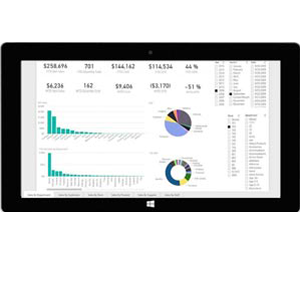
We have been busy over the past year working on a new "Report Generator Engine" using the .Net technology. This will be a separate module that would continue working in "parallel" with the existing system. It is a very useful tool to use when the older product has reached its limits and our customers can continue using the old system while building some of the more challenging report using the new system. This system will have advanced graphics, interface to Excel, Microsoft Reporting Services and the reports will also be available and be posted live through the web access. All Point of Sale transactions can be viewed and analyzed live through this system so you can access it from any location by logging to your website and pulling up the latest (and preset) reports. We are in final stages of the development of this new module and are hoping to start shipping around September 2010

Aralco President

Canadian Harmonized Sales Tax


Our Canadian clients are aware of the changes that recently took place in British Columbia and Ontario due to the implementation of the Harmonized Sales Tax. Although it seemed straight forward for most retailers, the complexities surfaced for certain type of retail applications such as children clothing, custom orders where the customer had placed their order PRIOR to the new tax activation and took delivery of the order AFTER the tax changes took place. Most of the issues would naturally appear at (POS) Point of Sale locations and regardless of the challenges we had as software engineers ( as did our clients), we have managed to deal with all the details and idiosyncrasies of the aftermath and are now looking forward to "business as usual" . Over the next few weeks, we will continue to work with our clients to address any discrepancies resulted from these changes resulting from the sales tax modifications.

Aralco President

Guide to buying POS software


Today, there are many stores that have established their businesses in different parts of the country. The system they follow is, each and every customer are free to pick whatever they are interested in and at the end they have to get their goods checked, priced and packed. The system of checking, pricing and packing at the end of purchase is called POS (Point Of Sale).

Point Of Sale has been adopted in stores recently to bill the goods. This system comprises of many gadgets to facilitate the point of sale program. Gadgets like a bar code reader, POS software, and a POS machine. It is advisable that a business which incurs large transactions should make use of a POS system to help with the function of billing and tracking of their goods. Before purchasing a POS system, one has to go through the "Guide to buying POS software".

It is tough to shift from the cash register to electronic cash register i.e. a POS system.

Anyone who wants to buy a POS system should ask the the following questions.

• Does the POS software have a user definable screen?
• Does it have any Customer Relationship Management options?
• Does it have any Excel/word interface?
• How easy is it to update retail prices and taxes.
• Does the feature of credit card processing work with your current business account?
• What kind of reports is the POS system capable of creating?
• Does this POS software support the feature of transacting a gift card?
• What inventory management features does this POS software have?

So by asking these questions one can be sure that this product will be a perfect match for your business.

More Entries

Home | Products | Services | Brochure | Client Login | Client Support | Contact Us| Sitemap

Aralco Point of Sale Systems - 212 - 828 Harbourside Drive, North Vancouver, BC V7P 3R9 ©1982-2010 | Franchise Opportunities